10 min to read
How to Build a Generic Software Factory: Step-by-Step Guide
From Zero to Orchestration, Templates, Automation, and Quality Gates
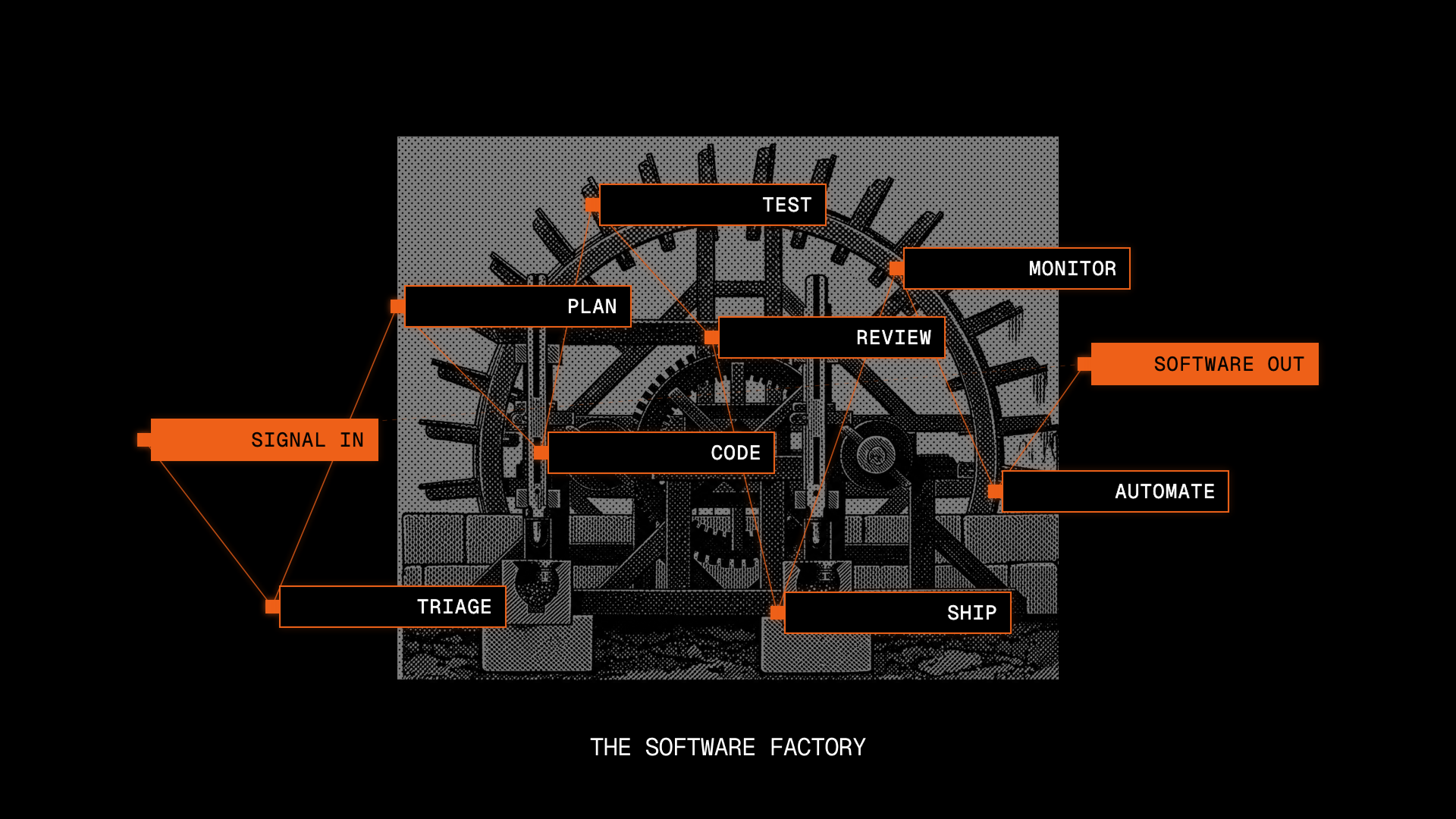
Image credit: Factory.ai
Building Your Factory: Phase by Phase
TL;DR — Build a software factory in 4 phases over 2-3 months: (1) Standardize patterns, (2) Create templates, (3) Automate workflows, (4) Enforce quality gates. Start small, measure results, iterate.
Phase 1: Standardize (Weeks 1-2)
Step 1.1: Document Existing Patterns
Audit your current projects:
# What patterns already exist?
ls -la existing-projects/
├── project-a/     (React + Node)
├── project-b/     (Vue + Python)
├── project-c/     (React + Node)
├── project-d/     (Next.js + Node)
Find common patterns:
- 3 projects use React → establish React pattern
- 2 projects use Vue → establish Vue pattern
- All use Node → standardize Node version, dependencies, config
Step 1.2: Define Your Standards
Create a STANDARDS.md document:
# Development Standards

## Web Frontend
- Framework: React 18+
- Language: TypeScript
- State: TanStack Query (data) + Zustand (UI state)
- Styling: Tailwind CSS
- Testing: Vitest + React Testing Library
- Linting: ESLint + Prettier

## Backend
- Language: Node.js (TypeScript) or Python
- Runtime: Node 18+ or Python 3.10+
- Framework: Express or FastAPI
- Database: PostgreSQL
- ORM: Prisma (Node) or SQLAlchemy (Python)
- Testing: Jest (Node) or pytest (Python)
- API: REST with OpenAPI spec

## Infrastructure
- Containerization: Docker
- Orchestration: Kubernetes or Heroku
- CI/CD: GitHub Actions
- Monitoring: Prometheus + Grafana
Step 1.3: Set Baseline Metrics
# How are we doing TODAY?
- Average project setup time: 4 hours
- Time to first deployment: 2 days
- Percentage of boilerplate in new projects: 40%
- Average pull request review time: 8 hours
- Production incidents per month: 12
- Mean time to recovery: 1 hour
These are your baseline. After factory is built, measure again.
Phase 2: Create Templates (Weeks 3-4)
Step 2.1: Build Your First Template
Create a template for your most common project type:
mkdir templates/
mkdir templates/react-node-app/
cd templates/react-node-app/

# Frontend
mkdir frontend/
  - Create React app structure
  - Add Tailwind config
  - Add Zustand store templates
  - Add API client pattern

# Backend
mkdir backend/
  - Create Express server structure
  - Add database models
  - Add middleware templates
  - Add API route structure

# Shared
mkdir .github/workflows/
  - Create CI/CD pipeline

# Documentation
touch README.md
  - "How to use this template"
  - "Project structure"
  - "Development commands"
Step 2.2: Generate Template Content
For a React + Node template:
react-node-app-template/
├── frontend/
│   ├── src/
│   │   ├── components/    # Component structure
│   │   ├── hooks/         # Custom hooks
│   │   ├── pages/         # Page components
│   │   ├── services/      # API calls
│   │   └── App.tsx        # Root component
│   ├── package.json
│   └── tsconfig.json
│
├── backend/
│   ├── src/
│   │   ├── routes/        # API routes
│   │   ├── middleware/    # Auth, logging, etc.
│   │   ├── models/        # Database schemas
│   │   ├── services/      # Business logic
│   │   └── server.ts      # Entry point
│   ├── package.json
│   └── tsconfig.json
│
├── .github/workflows/
│   ├── test.yml           # Run tests
│   └── deploy.yml         # Deploy pipeline
│
└── docker-compose.yml     # Local development
Step 2.3: Create Template Generator Script
#!/bin/bash
# create-app.sh

PROJECT_NAME=$1

echo "Creating project: $PROJECT_NAME"

# Copy template
cp -r templates/react-node-app/ $PROJECT_NAME/

# Replace placeholders
sed -i "s/PROJECT_TEMPLATE/$PROJECT_NAME/g" $PROJECT_NAME/package.json
sed -i "s/PROJECT_TEMPLATE/$PROJECT_NAME/g" $PROJECT_NAME/backend/package.json
sed -i "s/PROJECT_TEMPLATE/$PROJECT_NAME/g" $PROJECT_NAME/frontend/package.json

# Initialize git
cd $PROJECT_NAME
git init
git add .
git commit -m "feat: Initialize $PROJECT_NAME from template"

echo "Project created! To get started:"
echo "  cd $PROJECT_NAME"
echo "  docker-compose up"
echo "  npm run dev"
Phase 3: Automate Workflows (Weeks 5-8)
Step 3.1: Set Up CI/CD
Create .github/workflows/ci.yml:
name: CI

on: [push, pull_request]

jobs:
  test:
    runs-on: ubuntu-latest
    steps:
      - uses: actions/checkout@v3

      - name: Setup Node
        uses: actions/setup-node@v3
        with:
          node-version: '18'

      - name: Install dependencies
        run: npm ci

      - name: Lint
        run: npm run lint

      - name: Run tests
        run: npm run test

      - name: Build
        run: npm run build

  deploy:
    needs: test
    if: github.ref == 'refs/heads/main'
    runs-on: ubuntu-latest
    steps:
      - uses: actions/checkout@v3
      - name: Deploy to production
        run: npm run deploy
Step 3.2: Create Deployment Pipeline
# .github/workflows/deploy.yml
name: Deploy

on:
  push:
    branches: [main]

jobs:
  build-and-deploy:
    runs-on: ubuntu-latest
    steps:
      - uses: actions/checkout@v3

      - name: Build Docker image
        run: docker build -t myapp:$ .

      - name: Push to registry
        run: docker push myapp:$

      - name: Deploy to staging
        run: kubectl set image deployment/myapp myapp=myapp:$ -n staging

      - name: Run smoke tests
        run: npm run e2e:staging

      - name: Deploy to production
        run: kubectl set image deployment/myapp myapp=myapp:$ -n production

      - name: Monitor deployment
        run: sleep 300 && npm run healthcheck
Phase 4: Enforce Quality Gates (Weeks 9-12)
Step 4.1: Add Security Scanning
# .github/workflows/security.yml
name: Security Scan

on: [push, pull_request]

jobs:
  security:
    runs-on: ubuntu-latest
    steps:
      - uses: actions/checkout@v3

      - name: Run Snyk security scan
        run: npx snyk test

      - name: SAST analysis
        run: npx semgrep --config=p/security-audit

      - name: Dependency audit
        run: npm audit --audit-level=moderate
Step 4.2: Add Performance Monitoring
# .github/workflows/performance.yml
name: Performance

on: [push, pull_request]

jobs:
  performance:
    runs-on: ubuntu-latest
    steps:
      - uses: actions/checkout@v3

      - name: Build and measure
        run: |
          npm run build
          echo "Bundle size: $(du -sh dist/)"

      - name: Run performance tests
        run: npm run performance:test

      - name: Check against baseline
        run: npm run performance:compare
Step 4.3: Add Test Coverage Requirements
# .github/workflows/coverage.yml
name: Test Coverage

on: [push, pull_request]

jobs:
  coverage:
    runs-on: ubuntu-latest
    steps:
      - uses: actions/checkout@v3

      - name: Run tests with coverage
        run: npm run test:coverage

      - name: Report coverage
        run: |
          if [ $(cat coverage/coverage-summary.json | jq '.total.lines.pct') -lt 80 ]; then
            echo "Coverage below 80%"
            exit 1
          fi
Measuring Success
After 3 months, measure again:
BEFORE vs. AFTER
├── Project setup time: 4 hours → 30 minutes (8x faster)
├── Time to first deployment: 2 days → 2 hours (24x faster)
├── Boilerplate in new projects: 40% → 5% (automated)
├── PR review time: 8 hours → 1 hour (8x faster)
├── Production incidents: 12/month → 3/month (75% fewer)
├── MTTR: 1 hour → 10 minutes (6x faster)
└── Developer satisfaction: "We build, not configure"
Frequently Asked Questions
Q: Do I need to replace all existing projects at once?
A: No. Migrate projects gradually. Pick 2-3 projects as pilots, establish the factory patterns with them, document learnings, then expand to 5-10 projects, then to all. This takes 3-6 months and builds confidence as you iterate. Forcing all projects at once causes chaos.
Q: Is 12 weeks realistic for a factory?
A: Yes, if you have a dedicated team (2-3 people). Week 1-2 standardization, Week 3-4 templates, Week 5-8 automation, Week 9-12 quality gates. But this assumes you’re not also shipping features. Many teams do this part-time (10-20% of sprint capacity) over 4-6 months.
Q: How do I measure if my factory is working?
A: Track these metrics: (1) Time from code commit to deploy, (2) Percentage of PRs that pass tests on first run, (3) Number of deployment failures per week, (4) Time to rollback a bad deploy, (5) New project setup time. These directly reflect factory quality.
Q: What templates should I start with?
A: Start with templates for your most common project type. If 60% of projects are React + Node, create a React + Node template first. Then add templates for other frequent combinations. This 80/20 approach lets small teams start immediately without templates for every stack.
Q: How do I get team buy-in for 12 weeks of setup?
A: Frame it as “velocity multiplier.” Show metrics from similar companies: Netflix gets 99.98% deploy success, Google builds in 1 minute. Share the ROI — less time firefighting deploys = more time building features. Start with a 2-week pilot, show results, ask for extended investment.
Q: Can I build this with existing tools (GitHub Actions, GitLab CI)?
A: Absolutely. You don’t need Netflix-scale infrastructure. Start with GitHub Actions for orchestration, create GitHub templates for standardization, use existing Actions for automation, and write GitHub workflows for gates. Many successful factories run on these free/cheap tools.
Q: What happens to the team during the 12-week transition?
A: Productivity initially drops 10-20% (people learning new processes). By week 8, velocity increases by 30-50% (less manual deployment, fewer bugs in production). By month 4-5, the ROI becomes obvious. Set expectations upfront: short-term pain, long-term gain.
Next Steps
This generic factory is the foundation. You’re now ready for:
Option 1: Enhanced Automation
- Add code generation (scaffolding)
- Add linting/formatting automation
- Add test generation
Option 2: Autonomous Agents
- Add planning agents (feature → tasks)
- Add builder agents (generate code)
- Add reviewer agents (validate quality)
Next in the series: Adding AI agents to your factory.